
Reconcile Shopify COD settlements in Odoo.
Match courier COD collected against the expected payout and actual amount received, then review fees, returns and outstanding balances before verified Odoo posting.
Product illustration · not a live connection status
From courier statement to reviewed Odoo posting
Synthetic example data shows exactly where a short payout remains unmatched instead of being treated as settled.
Import & match
Match statement rows to Shopify orders and flag any unmatched order.
Review difference
Keep the ৳300 short payout outstanding with fee and return evidence.
Post verified entries
Post only the approved payment, fee and clearing journals to Odoo once.
Pilot-assisted setup, clearly labelled
A public App Store installation is not released yet. Current customers connect through the verified pilot/setup process—no unavailable install link is shown.
Create the workspace
Verify email, choose a plan and add the canonical .myshopify.com store domain.
Request pilot setup
Use setup help so WhirlBridge can confirm store eligibility and the required Shopify scopes.
Authorize in Shopify
The store owner reviews Shopify’s authorization screen and approves the requested access.
Test before sync
Return to WhirlBridge, run connection checks and review the first verified data import.
Nine automation workflows, one controlled process
WhirlBridge coordinates implemented order, product, inventory, courier, COD reconciliation and verified Odoo accounting actions. Each workflow runs only after the store connection, permissions and safety checks are ready.
Order Import
Bring Shopify orders into the workspace for review.
Inventory Sync
Compare Odoo stock and update approved Shopify quantities.
Product Sync
Keep mapped products and SKUs aligned across systems.
Pathao Sync
Refresh parcel status and COD operation data.
Pathao Shopify Fulfillment
Reflect verified courier progress in Shopify fulfillment.
Odoo Delivered Validation
Validate delivery evidence before an Odoo accounting action.
Odoo Delivered Invoice
Create the authorized invoice only after delivered-state validation.
COD Reconciliation
Match Pathao statements with verified receivables, fees, returns and bank payouts.
Auto Odoo Journal Posting
Post only preflight-verified COD, fee, recovery and clearing journals to Odoo once.
Automation availability depends on the selected plan, verified integrations and store-level permission. Status shown inside the app is the source of truth.
Real operations, not a staged demo
Every capability below reflects a workflow implemented in the current product.
Implemented and available nowStore connections
Verify Shopify authorization, Odoo company and warehouse, and the Pathao merchant connection separately.
- Add a store
- Grant required permissions
- Run connection tests
Order management
Review Shopify orders, customers and items, then send approved orders to a courier.
- Find an order
- Verify delivery details
- Send to courier
Inventory
Compare Odoo and Shopify quantities. Stock is never written before mismatch review.
- Fresh comparison
- Safe batch review
- Explicit confirmation
Delivery and COD
Keep Pathao parcel status, statement imports and verified Odoo posting evidence in one place.
- Parcel status
- Statement matching
- Accounting preflight
Reporting
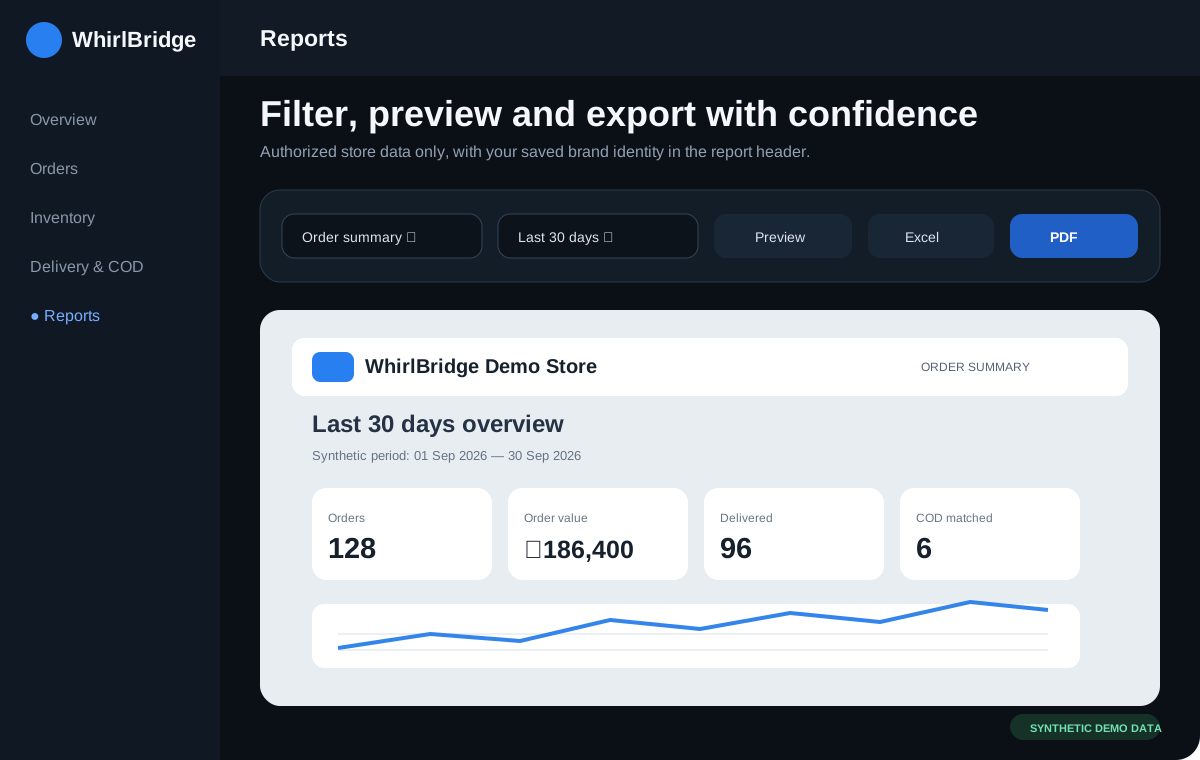
Create previews, prints, Excel and PDF reports using store logos, date filters and authorized store data.
- Choose a report
- Filter date and store
- Preview or export
Team access
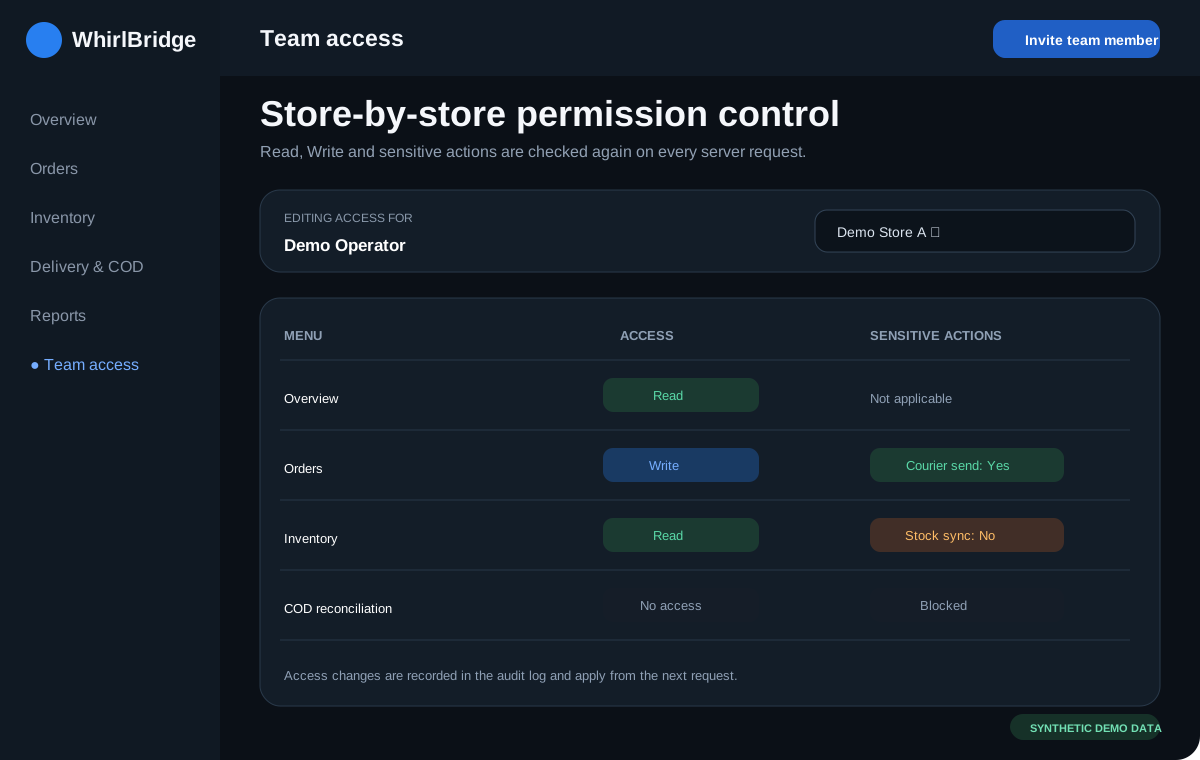
Assign Read, Write and sensitive-action permissions separately for every store and menu.
- Invite a user
- Select stores
- Set menu permissions
Clear directions and guarded exceptions
WhirlBridge separates read, review and write steps so a failed or uncertain response is not treated as success.
Order flow
Shopify orders are read into the workspace. A user reviews customer, item and delivery details before sending an approved parcel to Pathao or creating the authorized Odoo transition.
Inventory flow
Odoo WH/Stock is the reviewed source for matched SKUs. Shopify stock changes require a fresh comparison, a bounded batch and explicit confirmation.
Returns and failures
Cancelled and returned parcels follow their saved lifecycle. Paid Return cancels delivery and keeps the customer invoice absent. Duplicate or uncertain responses are blocked from blind retry.
COD accounting
Pathao statements are imported, matched and preflighted. Only verified receivable, fee, recovery and bank entries are posted to Odoo once.
Verify your email, then start your 14-day trial
The trial clock starts only after your workspace is created and verified. Resume an unfinished setup from the same step at any time.
Account
Verify email and create your workspace
Store
Add Shopify, Odoo and Pathao details
Test
Verify every connection independently
First sync
Run your first verified data sync
No card and no automatic charge. When the trial ends, data is not deleted immediately; the account becomes read-only, while background sync and new writes stop. Approved features resume after an upgrade. Support will never ask for your password.
Check your setup before the trial
Connections are enabled only after the required account, permission and endpoint checks pass.
| Platform | Supported target | Required before connection |
|---|---|---|
Shopify | Active Shopify store and owner authorization | Canonical .myshopify.com domain and required app scopes |
Odoo Online saas-19.3 / Odoo 19VERIFIED TARGET | Primary verified target; Online, Odoo.sh, Enterprise, Community and self-hosted deployments are assessed during setup | HTTPS, database, restricted integration user, company and warehouse; capability test required |
Pathao | Production merchant account | Client/API access, merchant login and store selection |
Browser | Current Chrome, Edge, Safari or Firefox | JavaScript, secure cookies and HTTPS |
See the operational screens before you connect
Explore concise WhirlBridge dashboard previews with clearly marked synthetic data. Three responsive views move together on desktop and remain swipeable on mobile.
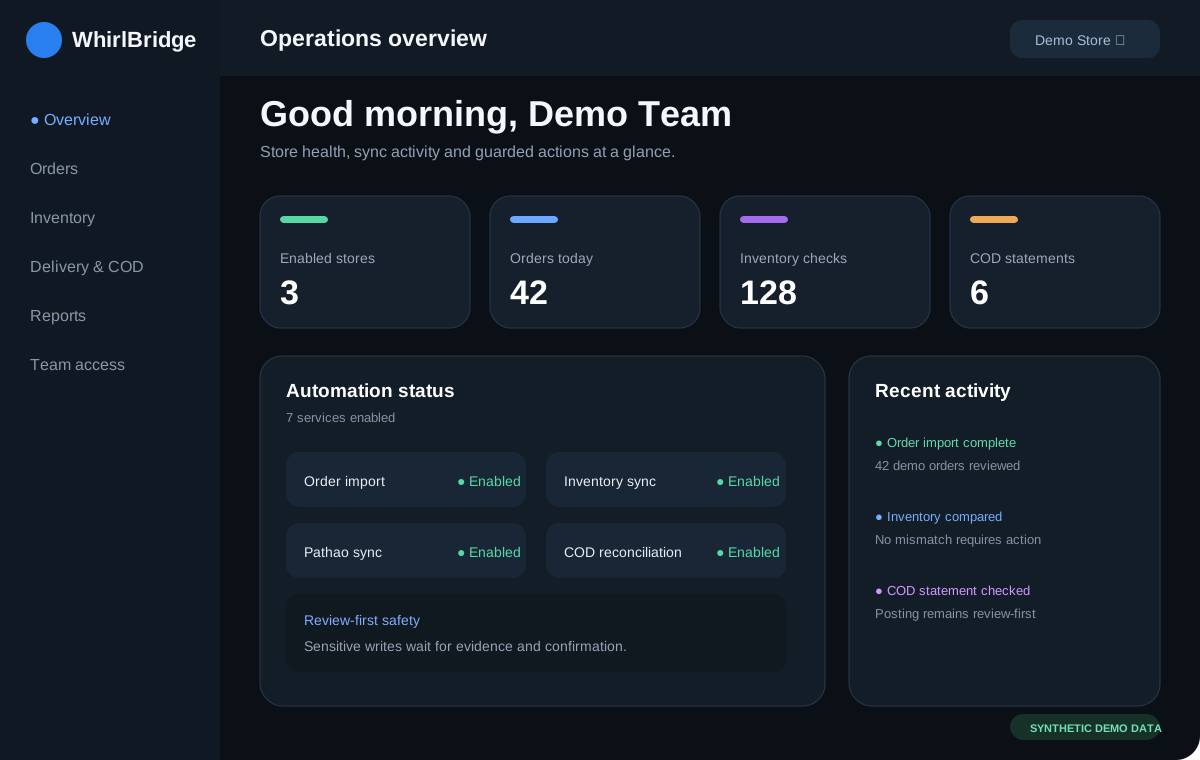 Synthetic demo data · not a live account
Operations overview
Stores, access, sync health and key operational signals in one view.
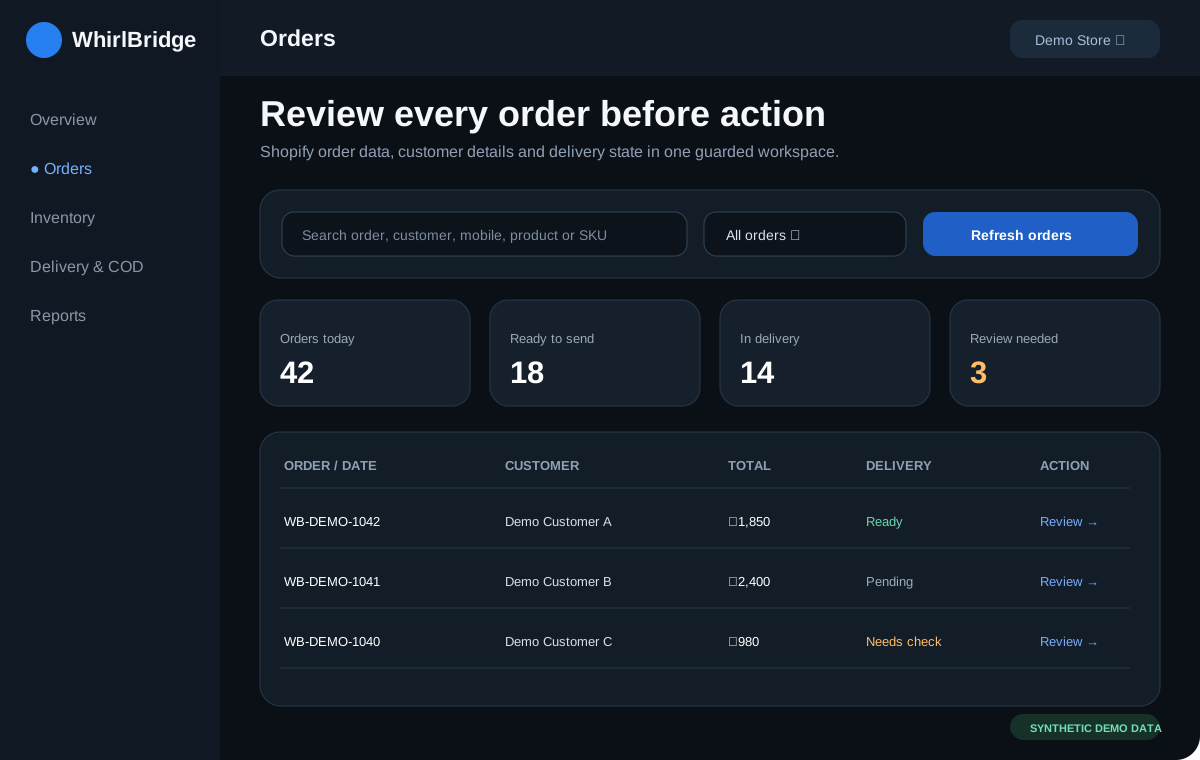 Synthetic demo data · not a live account
Order management
Search, filter and review Shopify orders before approved courier actions.
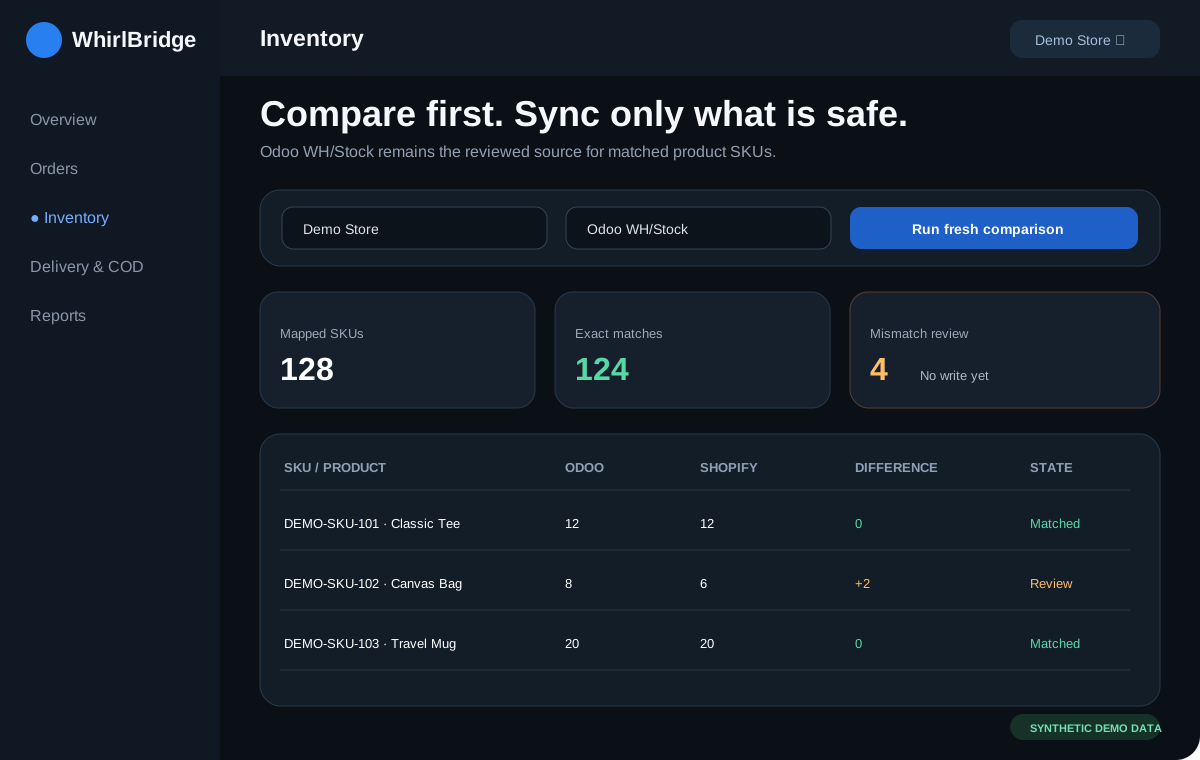 Synthetic demo data · not a live account
Inventory control
Compare Odoo and Shopify quantities before a guarded stock write.
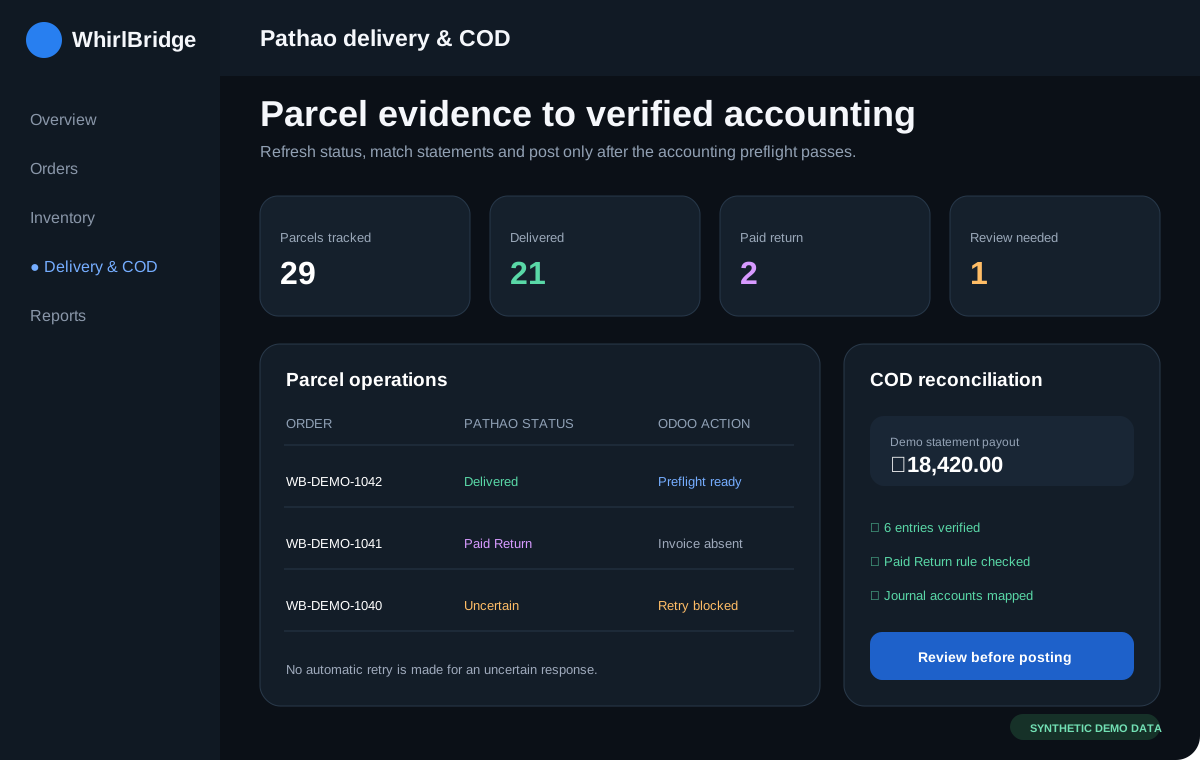 Synthetic demo data · not a live account
Pathao delivery & COD
Review parcels, statements and reconciliation evidence without blind retries.
 Synthetic demo data · not a live account
Reporting
Filter authorized store data, preview results and prepare print or export.
 Synthetic demo data · not a live account
Team access
Assign store-by-store menu access and keep sensitive actions separately controlled.
Choose the right plan for your business
Published plan limits are shown below. The 14-day trial requires no card and never charges automatically.
Frequently asked questions
Which Odoo setup is supported?
Odoo Online saas-19.3 / Odoo 19 is the primary verified target. Online, Odoo.sh, Enterprise, Community and self-hosted setups require a capability check before connection.
How is a partial courier payout handled?
The statement keeps expected and actual payout separate. Any difference stays in review and is not silently posted as settled.
What happens if I import the same statement twice?
The statement identity is checked first. A duplicate is blocked from creating a second reconciliation or posting and does not consume another statement unit.
What if the statement file format is unsupported?
The import fails safely before reconciliation. The file does not count toward the allowance; request setup help for a supported mapping.
How often does sync run?
Manual refresh is available in the verified workflows. Background intervals depend on the enabled automation and plan; the status shown inside the app is authoritative.
How are plan limits counted?
A unique Shopify order counts only on its first successful import in the calendar month. Updates, failed attempts and automatic retries do not count again. A new COD statement identity counts once in the month; duplicate re-imports do not.
How do I recover from an Odoo posting failure?
The result remains in review with saved evidence. Refresh the current source state and retry only after the preflight passes; uncertain or duplicate writes are blocked.
When does the trial begin?
After email verification succeeds and the workspace is created—not when the signup form is submitted.
What happens after the trial?
Your data remains available, but the workspace becomes read-only and background sync and new changes stop.
Do I need to share my password for setup?
No. Setup support never asks for credentials or passwords. Integration secrets remain encrypted and are not shown on screen or in logs.
Are all couriers available now?
No. The current live workflow focuses on Pathao. Steadfast and RedX are clearly marked as coming soon.
Coming soon
These integrations are not currently available, are not included in paid plans, and do not have confirmed release dates.
Under consideration: automated order notifications. Existing return/COD reconciliation and inventory alerts are separate current workflows, so they are not listed here as future features.